
Google has not said that photos directly improve your local ranking. Its guidance says local results are based mainly on relevance, distance and prominence, and that complete, accurate information helps. What photos clearly do is help customers decide: they show your premises, your team and your work at the exact moment someone is choosing between you and a competitor. So treat photos as a conversion tool that also makes your profile complete, upload real images that meet Google's specs, and refresh them regularly.
TL;DR:
- No published ranking formula. Google does not say "more photos equals higher ranking", and claims of huge ranking boosts from photos are not something Google has confirmed.
- Photos help people choose you, and Google recommends business-specific photos to help you stand out.
- Google's specs: JPG or PNG, between 10 KB and 5 MB, recommended 720 by 720 pixels, in focus, well lit and without heavy filters.
- Google suggests at least three exterior and three interior photos, plus product, team and work photos.
- Your profile must be verified before your photos show.
Do Photos Actually Improve Your Google Ranking?
Let's be straight about what is known. Google's help page on local ranking says results are based mainly on relevance, distance and prominence, and recommends complete, detailed business information.1 It does not list photos as a direct ranking factor, and Google has not published any formula linking photo count to ranking position.
You will see websites quoting large percentage increases in calls or clicks for profiles with lots of photos. We cannot verify those numbers against a primary source, so we do not repeat them.
What we can say with confidence:
- Google says category-specific photos spotlight features customers use when deciding to buy, and can help your business stand out.2
- Photos only appear on your profile once your business is verified.2
- A complete profile with current photos looks open and cared for; a profile with none looks abandoned.
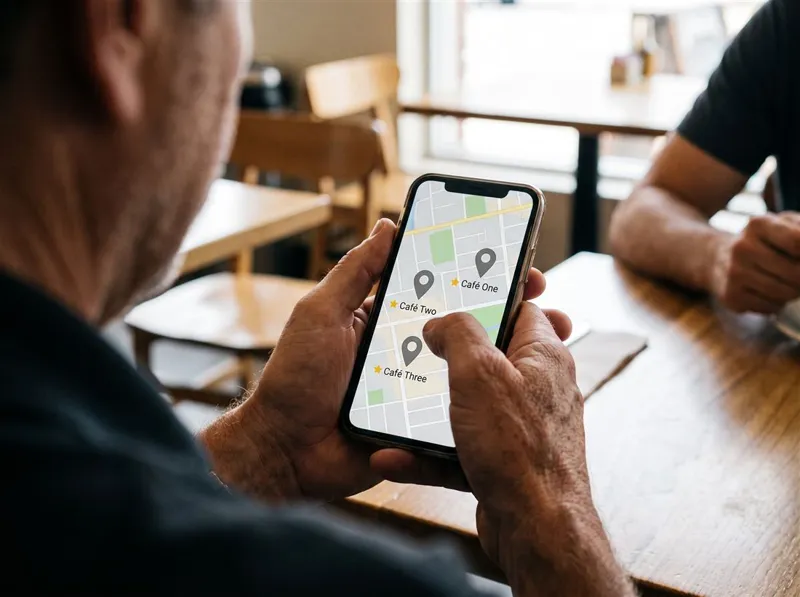
So think of photos as turning views into actions. And because most of those views happen on a phone (ACMA's 2026 research found 97% of Australian adults went online using a mobile phone in 20253), your photos are often the biggest visual element a customer sees.
What Are Google's Photo Requirements?
Google's photo and video guidelines set out the technical requirements.4
| Requirement | Google's guidance |
|---|---|
| Format | JPG or PNG |
| File size | Between 10 KB and 5 MB |
| Recommended resolution | 720 pixels tall by 720 pixels wide |
| Quality | In focus, well lit, no significant alterations or excessive filters |
Google's quality guidance is worth reading closely: the image should represent reality. Heavily filtered, edited or misleading photos work against you. Google also notes that if your chosen cover photo is low quality, or other sources suggest it is not the best representation of your business, a user-submitted photo may be shown instead.4

Which Photos Should You Upload?
Google recommends category-specific photos and suggests at least three good exterior photos so customers recognise your business as they approach, and at least three interior photos so they get a feel for the space.2 Beyond that, choose photos that answer the questions your customers actually have.
For Every Business
- Logo and cover photo, kept current
- Exterior: your shopfront or building with signage, from the directions people approach
- Interior: the space customers will be in
- Team: real people at work, with their consent
- Products or work: examples of what you sell or do
For Tradies and Service Businesses
- Your branded van or ute
- Before and after shots of real jobs
- The team in uniform on site
- Neat finished work: switchboards, plumbing, decks, paintwork
- Licence or certification details where appropriate
For Cafes and Restaurants
- Food and drinks in natural light
- The counter and seating areas
- The menu
- Outdoor, kid-friendly or dog-friendly areas if you have them
For Clinics and Health Services
- The entrance, reception and waiting area
- Treatment rooms
- Practitioners, with their consent
- Parking and accessible entry points
Health providers should keep captions factual. Ahpra's guidelines restrict advertising that creates an unreasonable expectation of beneficial treatment, so check the guidance before posting any before-and-after imagery.5
How Do You Take Better Profile Photos on a Phone?
You do not need a professional photographer to meet Google's quality bar, although one can help for your cover and exterior shots.
- Clean the lens before every session.
- Use natural light. Shoot near windows or outdoors on a bright overcast day.
- Keep it straight and in focus. Tap the subject on screen to focus.
- Avoid heavy filters and text overlays. Google wants images that represent reality.
- Show real people and real work, with permission.
- Skip stock photos. Customers can tell, and they do not show your actual business.

How Often Should You Add New Photos?
A steady trickle beats one big upload. A good rhythm for most small businesses is two to four new photos a month, plus extra whenever something changes: a new fit-out, a new menu, a new van, a new team member or a job you are proud of. Remove photos that are out of date, such as an old logo or a previous shopfront.
To add photos, sign in to the Google account that manages your verified profile and choose to add photos or videos from your Business Profile.6
What About Photos Customers Upload?
Customers can add their own photos to your profile. You cannot control all of them, but you can make your space photogenic and invite happy customers to share photos if they wish. Do not offer rewards for photos or reviews; Google's policy prohibits incentives in exchange for reviews.7 If a customer photo breaks Google's content policies, you can report it.
What Photo Mistakes Should You Avoid?
- Blurry, dark or crooked photos
- Photos that look nothing like your business today
- Only exterior shots, with nothing showing the work or the space
- Customers or staff who have not agreed to appear
- Images copied from other websites
- Heavy filters or promotional text overlaid on photos
A 30-Minute Photo Session to Start
- Walk around your premises, or your van and a recent job, and take 10 photos.
- Take five photos of your team or finished work.
- Delete anything blurry, dark or cluttered.
- Upload the best eight to ten.
- Set a monthly reminder to add two to four more.
Photos are one part of a complete profile. For the sections that matter most for ranking, see Google Business Profile Optimisation: What Actually Matters, and for keeping the profile active between photo sessions, see Google Business Profile Posts: What to Post.
Look at your profile on your phone the way a customer would. Does it look current and professional? If not, book your photo session this week. If you would rather hand it over, OZ Media Digital's Local SEO and AI SEO service includes Google Business Profile management, from photo planning to posts and review replies. Book a free session and we will review your current photos with you.
FAQ
Do Google Business Profile photos help with ranking?
Google has not said photos directly improve local ranking. Its guidance says results are based mainly on relevance, distance and prominence. Photos make your profile complete and help customers choose you, which is why they are still worth doing well.
What size should Google Business Profile photos be?
Google recommends JPG or PNG files between 10 KB and 5 MB, with a recommended resolution of 720 pixels tall by 720 pixels wide. Photos should be in focus, well lit and free of heavy filters.
How many photos should I add to my Google Business Profile?
Google suggests at least three exterior and three interior photos, plus product, team and work photos relevant to your category. After that, adding two to four new photos a month keeps the profile current.
Why aren't my photos showing on my Google Business Profile?
Your business must be verified before your photos and videos show. Photos can also take time to appear, and images that break Google's guidelines may not be shown.
Can I use stock photos on my Google Business Profile?
It is best not to. Google wants photos that represent reality, and stock images do not show customers your actual premises, team or work.
Can Google replace my cover photo?
Yes. Google notes that if your cover photo is low quality, or other sources suggest it is not the best representation of your business, a user-submitted photo may be shown instead.