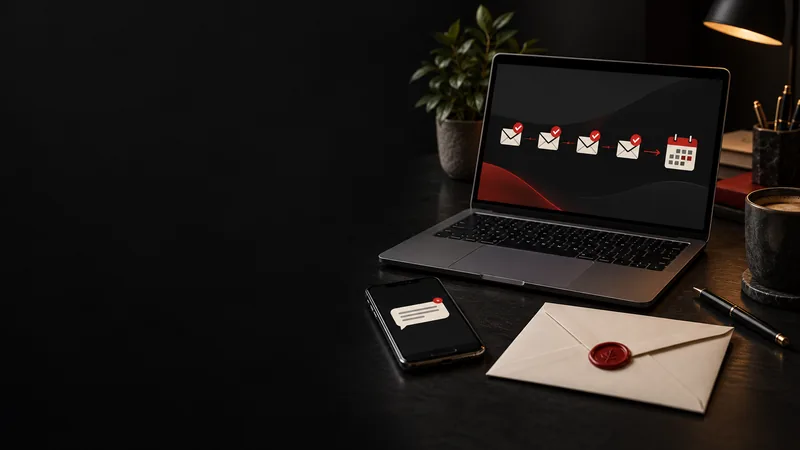

The three follow-up triggers every small business should set up first are an instant reply when a contact form is submitted, an automatic text when a call is missed, and a reminder when a quote goes unanswered for two days. Each one is a simple "if this happens, do that" rule, and together they cover most of the moments where local businesses lose work to whoever replies first. AI can help by drafting replies, sorting enquiries and flagging the hottest leads, but a person should still handle pricing, complaints and anything sensitive.
TL;DR:
- A trigger is a customer action that sets off an automatic response or alert, such as a form submission or a missed call.
- Start with three: contact form auto-reply, missed-call text back and quote follow-up.
- Speed matters. Harvard Business Review found firms that contacted a lead within an hour were nearly seven times as likely to qualify it.
- AI drafts, sorts and summarises; people decide on pricing, complaints and sensitive matters.
- Automated messages are still messages. The Spam Act and Australian privacy obligations apply.
Why Does Instant Follow-Up Matter So Much?
The business that replies first usually wins the job, because the customer is still in the moment of needing help. A Harvard Business Review study audited 2,241 US companies by sending them online enquiries. The average response time among companies that responded within 30 days was 42 hours, only 37% responded within an hour, and firms that tried to contact potential customers within an hour were nearly seven times as likely to qualify the lead as those that waited longer.1
That research is from the US, but the behaviour is universal. Someone with a burst pipe, a toothache or a broken air conditioner messages two or three businesses and books whoever gets back first. We look at Australian lead response data in more depth in How Fast Should You Respond to Leads?
What Is a Follow-Up Trigger?
A trigger is a customer action that automatically starts something: a reply, an alert or a reminder. Most CRMs, booking tools, website platforms and phone systems can run them, either built in or through a simple automation tool that connects your apps.
Good triggers are tied to buying signals, not random activity. A form submission, a missed call or an opened quote says far more about intent than someone glancing at your home page.
Which Eight Triggers Are Worth Setting Up?
Here are eight triggers ranked roughly by how much work they save and how many lost leads they recover. Start at the top and work down.
| # | Trigger | Automatic action |
|---|---|---|
| 1 | Contact form submitted | Instant email or SMS confirming receipt and when you will respond; alert to your phone |
| 2 | Missed call | Automatic text: "Sorry we missed you. What can we help with? We'll call you back shortly." |
| 3 | Quote sent, no reply after two days | Friendly check-in asking if they have questions |
| 4 | Quote requested | Instant alert to the owner plus a confirmation with a booking link |
| 5 | Booking link opened but not completed | Gentle reminder offering help to finish the booking |
| 6 | Google Business Profile message received | Prompt reply with a short answer and a question to move things forward |
| 7 | Past customer enquires again | Priority alert, because repeat customers are your most valuable leads |
| 8 | Known lead revisits your pricing page | Flag the lead as warm for a personal follow-up |
A note on trigger 8: it only works if the person has already given you their details, for example through an earlier form, and your tools are set up with appropriate privacy disclosures. Do not try to identify anonymous visitors.

Which Three Triggers Should You Set Up First?
If you only do three things this month, do these. They cover the moments where small businesses lose the most work.
1. Contact Form Auto-Reply
When someone fills in your form, they should get an email or text within a minute that thanks them, confirms what they asked for and tells them when to expect a call. At the same time, you get a notification on your phone. This stops the "did my message even go through?" doubt that sends people to a competitor.
2. Missed-Call Text Back
Tradies on a roof, clinicians in a consult and cafe owners behind the coffee machine all miss calls. An automatic text straight after a missed call keeps the conversation alive: "Sorry we missed you, we're on a job. What do you need help with? We'll call back by 4pm." Many people will reply by text even if they would not leave a voicemail.
3. Quote Follow-Up
A quote that goes quiet is not necessarily a no. Customers get busy, compare prices or simply forget. A friendly message two days later, "Just checking you received our quote. Happy to answer any questions", brings a surprising number of jobs back to life. Add a second, final nudge after a week, then stop.
Where Does AI Fit Into Lead Follow-Up?
AI makes triggers smarter, but it should assist rather than replace you. These are the jobs it does well:
- Drafting replies for you to approve, based on what the customer asked.
- Sorting and tagging enquiries as urgent, quote, general question, existing customer or spam.
- Summarising long messages and call notes into two lines.
- Scoring leads by behaviour, such as replying quickly or asking about timing.
Most small businesses do not need a custom system. Many CRMs and booking tools now include these features. If you are weighing up whether you need a CRM at all, see Does Your Small Business Need a CRM?
What Should Always Stay Human?
Some conversations should always involve a person, even if a trigger alerts you to them:
- Detailed pricing and quotes
- Complaints or emotional conversations
- Anything involving health, financial or other sensitive information
- Final decisions about whether to take on a job
The OAIC's guidance on commercially available AI products says privacy obligations apply to any personal information input into an AI system, as well as to the output data it generates, and encourages human oversight.2 Choose tools carefully, check where they store data, and avoid entering personal information you do not need.

How Do the Spam Act Rules Apply to Automated Messages?
Automated messages are still messages, and commercial ones are covered by the Spam Act. ACMA's guidance sets out three core rules: get consent, identify yourself as the sender, and make it easy to unsubscribe.3 ACMA also says an unsubscribe option must honour a request within 5 working days, and the sender information in a message must remain correct for at least 30 days after it is sent.3
A practical approach:
- Add a short consent line to your forms, such as "We may contact you about your enquiry and related services. You can opt out at any time", and keep a record of when and how consent was given.
- Include your business name and contact details in every automated message.
- Include an unsubscribe option in commercial messages.
- If you are unsure whether a message counts as marketing, get advice.
Australia's SMS sender ID rules also changed recently, which affects businesses sending texts under a business name. We explain what changed in SMS Sender ID Rules Australia 2026.
How Do You Start Without Getting Overwhelmed?
Keep the first version simple, then improve it once it works.
- List every place leads come from: website form, phone, Google profile, social messages, email.
- For each, ask: what happens in the first five minutes? If the answer is "nothing", that is your first trigger.
- Write one short message per trigger, in your own voice.
- Test each trigger on yourself before switching it on.
- Review after two weeks: are replies landing, are leads booking, is anything firing at the wrong time?
- Add more triggers only once the first ones work reliably.
Common mistakes to avoid: messages sent at 2am, sequences that keep running after the customer has booked, robotic wording, and alerts that nobody actually checks.
List your lead sources today and write down what happens in the first five minutes for each. That list is your trigger plan. If you would rather have it built for you, OZ Media Digital's AI marketing service sets up simple, compliant follow-up triggers so hot leads get a reply in minutes, even while you are on the tools. Book a free session and we will map your first three triggers. For the longer follow-up that comes after the first reply, see Marketing Automation and Nurture Sequences.
FAQ
What is an automated follow-up trigger?
It is a rule that starts an automatic action when a customer does something, such as sending an instant reply when a contact form is submitted or a text when a call is missed.
Which follow-up automations should a small business set up first?
Start with three: an instant reply to contact form submissions, a missed-call text back, and a reminder when a quote has had no reply after two days. They recover the most lost leads for the least effort.
How fast should a business respond to a new lead?
As fast as possible, ideally within minutes. Harvard Business Review found firms that tried to contact leads within an hour were nearly seven times as likely to qualify them as firms that waited longer.
Is it legal to send automated SMS follow-ups in Australia?
Yes, if you follow the Spam Act for commercial messages. ACMA says you need consent, must identify yourself as the sender and must make it easy to unsubscribe, with requests honoured within 5 working days.
Can AI reply to customer enquiries for me?
AI can draft replies, sort enquiries and answer simple questions such as hours or service areas. Pricing, complaints and sensitive matters should go to a person, and privacy obligations apply to any personal information you put into an AI tool.
Do I need a CRM to set up follow-up triggers?
Not always. Many website platforms, booking tools and phone systems can send auto-replies and missed-call texts. A CRM becomes more useful once you are tracking quotes and follow-ups across many leads.