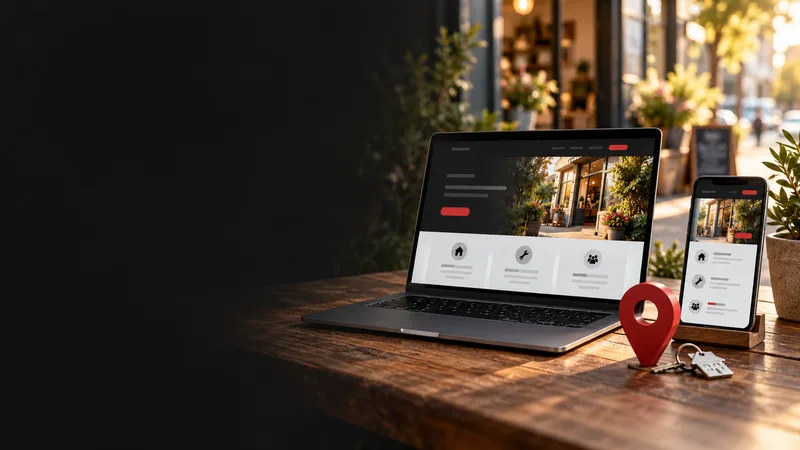
Mobile-first web design is critical for local search because both your customers and Google look at the mobile version of your website first. ACMA found 97% of Australian adults went online using a mobile phone in 2025, and Google says it uses the mobile version of a site's content for indexing and ranking. Mobile-first means designing for a small touchscreen first, with a clear headline, a tap-to-call button, readable text, short forms and fast loading, then adding extras for larger screens. For a local business, it is the difference between a call and a customer tapping back to the next result.
TL;DR:
- Customers are on phones. ACMA's 2026 research found 97% of Australian adults went online using a mobile phone in 2025, and 92% did so daily.
- Google reads the mobile version first. It uses the mobile version of a site's content for indexing and ranking.
- Content must match across devices. Google advises the same content, and structured data, on mobile and desktop.
- Speed is part of the experience. Core Web Vitals target main content within 2.5 seconds and taps answered within 200 milliseconds.
- Eight features matter most, starting with a clear headline and a tap-to-call button above the fold.
Why Do Local Searches Happen on Phones?
When someone needs a plumber, a dentist or a coffee, they reach for their phone. ACMA's 2026 research found 97% of Australian adults used a mobile phone to go online in 2025, up from 95% the year before, and daily mobile internet use rose to 92%.1
Local searches are especially mobile-heavy because they often happen on the move or in the moment of need: "electrician near me", "cafe open now", "emergency dentist Saturday". If your site is awkward on a small screen, that customer is one tap away from your competitor.
How Does Google Use the Mobile Version of Your Site?
Google uses mobile-first indexing. Its Search Central documentation says Google uses the mobile version of a site's content, crawled with a smartphone agent, for indexing and ranking.2 In practical terms:
- Make sure your mobile site contains the same content as your desktop site. Google says having the same content on both ensures the two versions can rank for the same keywords.2
- Keep structured data on both versions, such as your business details and FAQ markup.2
- Do not hide services, suburbs or prices on mobile to save space; use accordions or tabs instead of removing content.
How Does Speed Fit Into Mobile-First Design?
Speed is part of the mobile experience, and Google publishes clear targets. Its Core Web Vitals guidance says the largest content should load within 2.5 seconds, the page should respond to interactions within 200 milliseconds, and layout shift should stay at 0.1 or less.3 Phones are where slow pages hurt most, so mobile-first and fast go together. For the common causes of a slow site, see What Is Website Bloat and How Do You Build a Lean Site?

What Does Mobile-First Look Like in Practice?
Here are eight features every local business site should get right on a phone.
1. A Clear Headline and Tap-to-Call Button
At the top of the page, visitors should immediately see what you do, where you do it, and a button to call. Not a slideshow, not a full-screen video.
2. Easy-to-Read Text
Use a font size that does not require pinching to zoom, short paragraphs and strong contrast between text and background.
3. Big, Easy-to-Tap Buttons
Buttons and links should be large enough for a thumb, with space between them so people do not tap the wrong thing.
4. Simple Navigation
Keep menus short and put the most important pages, such as services and contact, first.
5. Short Forms
Ask only for what you need: name, phone, suburb and a short message. Every extra field loses people.
6. Light Images and No Heavy Extras
Compress images, and avoid autoplay video, large sliders and pop-ups that cover the screen.
7. Tap-to-Map Address and Clear Hours
Make your address open directly in a maps app, and show your service area and opening hours clearly.
8. A Sticky Contact Option
A call or message button that stays visible as people scroll can help, as long as it does not cover content.
How Does Your Website Work With Your Google Business Profile?
Many customers see your Google Business Profile first, then tap through to your website. Make the hand-off smooth:
- Link the profile to the most relevant page, not always the home page
- Keep your name, address, phone and hours identical on both
- Make photos and services consistent between the profile and the site
Google says local results are based mainly on relevance, distance and prominence.4 A good mobile website helps turn the attention your profile earns into calls and enquiries. We explain why a website still matters alongside your profile in Why Local Businesses Need a Website for AI Search.
How Do You Test Your Website on Mobile?
- Open your website on your own phone using mobile data, not Wi-Fi.
- Try to find your phone number, services and prices within ten seconds.
- Fill in your contact form and check it arrives.
- Ask a friend or family member to try the same tasks.
- Run your homepage through Google's free PageSpeed Insights on mobile.5
What Mobile Design Mistakes Are Most Common?
- A desktop design squeezed onto a phone screen
- Tiny text or buttons
- A phone number hidden in the footer
- Slow loading because of large images
- Pop-ups that are hard to close
- Content missing from the mobile version
- Forms that are too long
Does Mobile-First Design Help Accessibility Too?
Yes. Clear text, good contrast, generous tap targets and simple layouts help everyone, including people with low vision or who use assistive technology. Check your site with larger text settings turned on and on more than one device.
If you are planning a new site, What's the Best Website Platform for an Australian Tradie? compares the main options, all of which can produce a good mobile site when set up properly.
Open your homepage on your phone right now and note the first three things that annoy you. Fix those first. If you would like help, OZ Media Digital's web development service designs mobile-first websites for Australian local businesses, built to load fast and turn taps into calls. Book a free session and we will run a mobile check of your site with you.
FAQ
What is mobile-first web design?
It means designing a website for small touchscreens first, with clear headlines, tap-to-call buttons, readable text and short forms, then adding extras for larger screens.
What is mobile-first indexing?
Google says it uses the mobile version of a site's content, crawled with a smartphone agent, for indexing and ranking. If your mobile site is missing content, Google may not see it.
Does my mobile site need the same content as my desktop site?
Yes. Google advises making sure your mobile site contains the same content as your desktop site, including structured data, so both versions can rank for the same keywords.
How fast should a mobile website load?
Google's Core Web Vitals guidance says the largest content should load within 2.5 seconds, the page should respond to interactions within 200 milliseconds, and layout shift should be 0.1 or less.
How do I test if my website is mobile-friendly?
Open it on your own phone using mobile data, try to find your phone number and services quickly, test your contact form, and run the page through Google's PageSpeed Insights on mobile.
Why does mobile design matter for local businesses specifically?
Local searches often happen on phones at the moment of need. ACMA found 97% of Australian adults went online using a mobile phone in 2025, so a clumsy mobile site directly costs calls and visits.