 OZ Media Digital
Why Google Ads for Local Services Might Be Your Best Marketing Move
If you run a local service business in Australia (whether you’re a plumber, electrician, cleaner, or landscaper)you’ve probably wondered if Google Ads is worth the money. This guide walks you through a practical, jargon-free strategy to turn Google Ads into a reliable source of booked jobs.
When someone types ‘emergency plumber near me’ into Google at 7pm on a Thursday, they aren’t browsing. They are ready to book a job. Google Ads lets you pop up in front of those high-intent searchers the moment they need you.
The frustration for many tradies and service pros is that ad spend can disappear on clicks that never turn into paying jobs. Irrelevant searches, weak landing pages, and poor campaign structure all burn through your budget without delivering a single booked appointment.
This article covers the full picture: how to set a realistic budget, build campaigns that actually convert, avoid common mistakes that waste money, and decide whether to manage it yourself or bring in help. Along the way, we’ll show how OZ Media Digital structures campaigns for North Shore and Sydney trades (using tight location targeting, separate emergency and planned-job campaigns, and conversion tracking)so every dollar works toward a booked job.
The tone throughout is friendly and straight-talking, focused on real-world results rather than marketing fluff. By the end, you’ll have a clear roadmap to make Google Ads a reliable lead source for your business.
Is Google Ads Worth It for Australian Small Businesses?
The simple answer is yes, but only when you run them with a solid strategy. Google Ads puts your business in front of customers who are actively searching for the exact service you provide. Unlike SEO, which can take months to show results, properly set up Google Ads can start delivering high-intent traffic within days. And unlike social media ads, where people are scrolling for entertainment, Google captures people in active buying mode, someone searching "emergency plumber near me" at 7pm on a Thursday is ready to book.
The trap many small business owners fall into is spending money without tracking what they get back. To know if Google Ads is worth it for your business, you need to track every lead that comes in (phone calls, form submissions, online bookings)and calculate your actual cost per booked job. Australian trade businesses often see average costs per lead around $129 for plumbing, but without call tracking and a well-structured campaign, the real cost per job can be two or three times higher.
Smart targeting is where you protect your budget. Instead of running broad keywords that attract job seekers, DIY researchers, or people miles outside your service area, focus on specific suburbs and high-intent search terms. For example, targeting "plumber North Sydney" instead of just "plumber" dramatically improves your conversion rate. With a thoughtful approach, Google Ads becomes a reliable way to fill your appointment book directly alongside big competitors.
How Much to Spend on Google Ads for Local Jobs?
One of the most common questions Australian service business owners ask is, 'What's the minimum budget?' The short answer: start with at least $300 to $500 per month for a single local campaign. That might sound low, but the real point of that first month is to gather data, not to fill your calendar.
You need enough data for Google's algorithms to learn and for you to judge performance. Aim for 30 to 50 clicks on your ads per month. That gives you a statistically useful sample to see which keywords and ads are actually generating interest. Without that volume, you're flying blind.
The trap many business owners fall into is fixating on cost-per-click (CPC). A $10 click that books a $500 job is cheap. A $3 click that never picks up the phone is expensive. That's why you should focus on your cost-per-booking, the real metric that matters for your bottom line.
For a more realistic picture in competitive fields, a budget around $2,000 per month is common. According to Localsearch, a healthy campaign at that spend level in a moderately competitive trade might produce 40 clicks and roughly 2 to 3 leads, based on a 4 to 8% landing-page conversion rate. In ultra-competitive markets like Sydney or Melbourne, budgets of $2,000 to $3,000 per month are often needed to get results in high-value categories like plumbing, electrical, or HVAC.
Start where you're comfortable. Set a budget you can sustain for at least 60 days, track every enquiry, and scale up only after you've seen which campaigns actually put jobs on the books.
Setting Up a Google Ads Campaign That Books Jobs
Start by choosing the right campaign goal. In Google Ads, selecting 'Leads' or 'Sales' signals to the platform that you want phone calls, form submissions, or bookings, not just website visits. This choice shapes how Google optimises your delivery and reporting from day one.
Set your geographic targeting to a 10 to 20 km radius around your business. A critical detail: choose the reach option 'Presence' instead of the default 'Presence or interest'. This stops your ad from showing to someone in another state just because they searched 'plumber Newcastle'. Only people physically inside your service area will see it.
Add location extensions to display your address alongside the ad, and call extensions so mobile users can tap to dial immediately. These small additions improve trust and click-through rates without costing extra.
Now, the most common mistake: sending paid traffic to a generic homepage. Every campaign needs a dedicated landing page for each service, a specific page about blocked drains, not a general plumbing page. The landing page should match the ad's promise, load fast on mobile, and feature one clear action: 'Call Now' or 'Get a Free Quote'. A well-matched page also lifts your Quality Score, reducing your cost per click over time.
Write ad copy that mentions the suburb you serve. 'Serving Hornsby for 10 Years' feels local and relevant, and Google rewards that relevance with better ad placement. Check your Location Reports monthly to see which suburbs actually convert, and exclude postcodes you can't service economically, no point paying for clicks you can't turn into jobs.
The Proven Strategy: From Keywords to Conversions

Every dollar you spend needs protection from tyre‑kickers. Build a strong negative keyword list to block searches for "DIY", "jobs", "training", "free", and "how to". Without these filters, 30 to 40% of your budget can hit irrelevant clicks, a common problem in the tradie space.
Build Trust With Ad Extensions and Landing Pages
Ad extensions are simple but powerful. Add a Call extension so mobile users can tap to dial, and a Location extension to show your service area. On the landing page, match the ad's promise exactly: send emergency searches to a page with "Available Now: 60‑Minute Response" and a tap‑to‑call button, not your homepage.
Conversion tracking must be set up from day one. Track phone calls, form submissions, and bookings so you know which keywords and ads produce real work. Google Ads can record calls when you use a forwarding number, set a minimum call duration (e.g. two minutes) to count only genuine enquiries.
Refine, Then Scale
The real work happens after launch. Check the Search Terms Report each week, add irrelevant queries as negative keywords and pause underperforming ads. OZ Media Digital follows this same rhythm, focusing on improving efficiency within your existing budget before recommending a spend increase. Only when the foundation is solid should you add Performance Max to reach more customers across Google's networks.
Common Reasons Your Google Ads Aren't Booking Jobs
The most common reason is that you're bidding on overly broad keywords. A term like "plumber" attracts job seekers and DIYers just as easily as paying customers. Check your search terms report weekly and add negative keywords such as "jobs," "DIY," "free," "training," "wholesale," and any suburbs you don't service.
Another fix: confirm your ad copy includes your service area and a clear call to action. An ad that says "Plumber Sydney | Get a Free Quote Today" will filter out less serious searchers and improve click quality. Include location extensions and callout extensions like "Licensed" or "Same-Day Service" to show your credentials.
Weak landing pages hurt your conversion rates. Sending paid traffic to your homepage instead of a dedicated service page hurts Quality Score and lowers your conversion rate. For example, an emergency plumbing ad should land on a page that starts with "Available Now: 60-Minute Response" and a tap-to-call button. Every service should have its own ad group and landing page.
If you aren't tracking the right conversions, Google's algorithm can't optimise for actual jobs. Set up call tracking for phone calls from ads and the website, and import offline conversion data (booked vs. lost jobs) back into Google Ads. This gives Google the data it needs to improve your cost per lead over time.
Common Issues and Fixes at a Glance
| Issue | Why It Hurts | Actionable Fix |
|---|---|---|
| Overly broad keywords | Attracts unqualified clicks | Add negative keywords; use phrase/broad match modifiers |
| No location in ad copy | Misses local intent | Add suburb/city name to headlines and callout extensions |
| Generic homepage landing page | Low relevance and Quality Score | Build a dedicated page per service with clear CTA |
| No phone call tracking | Google can't optimise for calls | Enable call reporting; set minimum call duration |
| Missing conversion tracking | No data to improve performance | Set up website and offline conversion imports |
| Not filtering irrelevant searches | Budget wasted on tyre-kickers | Weekly search term review; add negatives for DIY/jobs |
Emergency vs Planned Jobs: Separate Campaigns

The short answer is yes, Google Ads can work for both emergency jobs like burst pipes and planned services like kitchen renovations. But you have to run them in completely separate campaigns to avoid wasting budget.
For emergency work, think 24/7 ad scheduling and high-intent keywords like 'emergency plumber near me' to catch someone when they are ready to book immediately. Use competitive bids to compete for that instant demand.
For planned jobs like a hot water replacement or renovation, you can run ads during business hours with broader keywords. Focus on building trust and showcasing past work rather than urgency.
Separate your ad copy too. Emergency ads speak to quick action with phrases like 'Available Now: 60-Minute Response'. Planned-service ads guide the customer through the research and booking phase with guarantees, warranties, and portfolios.
Different landing pages for each type make the biggest difference. An emergency page should open with a tap-to-call button and a promise of rapid response. A planned-service page should lead with a guarantee, brands stocked, and examples of completed work. Never send paid traffic to a homepage.
Getting this structure right means you are not missing urgent calls while still staying top of mind for the bigger jobs.
Landing Pages That Convert Clicks into Bookings
Driving a click to your homepage is a common mistake. It forces the visitor to hunt for what they searched for, and most will simply leave. A dedicated landing page for each service, one that matches the exact promise of the ad that was clicked, is the single highest-leverage change you can make.
The landing page for an emergency plumbing campaign should open with a headline like 'Available Now: 60-Minute Response' and a prominent tap-to-call button. A planned-service page, such as hot water replacement, leads with guarantees, warranty terms, and photos of past work. Every page must have a clear, singular call to action, 'Book Now' or 'Get a Free Quote', and nothing else to distract.
Mobile-first design is non-negotiable. Over 60% of service searches happen on smartphones, so the page must load fast and display a thumb-friendly call button. Remove the standard website navigation to keep the visitor focused on converting. Include social proof, testimonials or a Google review widget, and trust signals like licence numbers or workmanship guarantees. When the page mirrors the ad's offer, Quality Scores rise and cost per lead falls.
At OZ Media Digital, every campaign build includes a mobile-optimised landing page matched to the ad group. The approach keeps the visitor on track from search to booking, without offering other pages as escape routes.
Tracking and Optimising: From Clicks to Booked Jobs
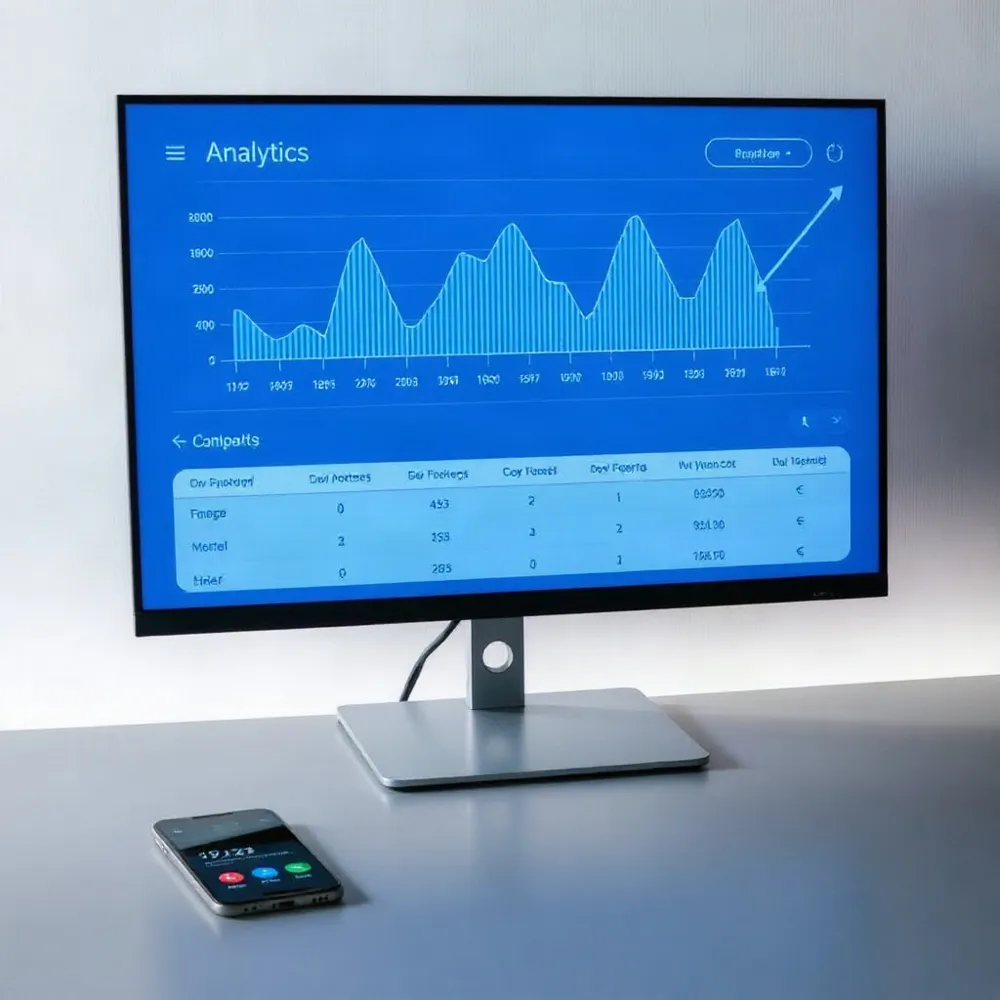
Before you spend a dollar, set up conversion tracking. Without it, you are flying blind. Your campaign needs to track phone calls, form submissions, and online bookings from day one.
For trades and local services, phone calls are the main conversion event. Use Google's call forwarding number or a third-party tool like CallRail to attribute each call back to the ad that drove it. Follow the advice of agencies that work with Australian tradies daily: set a minimum call length of two minutes or so before counting it as a conversion. This filters out pocket-dials and wrong numbers.
For booked jobs that start online but finish over the phone or on site, feed that data back into Google Ads via offline conversion imports. This tells the algorithm which clicks actually turned into paying work, not just leads. With this data, Google's Smart Bidding can optimise for real revenue instead of surface-level actions.
Run a weekly check on your search terms report. Add irrelevant phrases to your negative keyword list immediately. Common culprits include 'DIY', 'free', 'training', and 'how to'. Pause any keyword that is generating clicks but no leads. Each month, review your location report. Apply higher bid adjustments for suburbs that produce booked jobs and lower bids (or even exclusions) for areas that waste your budget.
Treat your ad copy and landing pages as testable assets. Run A/B tests on headlines, call-to-action buttons, and offers. A small headline change on a landing page can improve conversion rates. Keep testing until you find the combination that turns the most clicks into booked jobs.
Combining Google Ads with Local SEO for a Complete Funnel
Paid ads are like renting attention. The moment your daily budget runs out, the traffic stops. Local SEO, on the other hand, builds an owned asset that compounds over time. A combined strategy uses Google Ads to generate leads this week while your organic presence grows.
The search terms report from your Google Ads campaigns is a goldmine for local SEO. It shows exactly which phrases real customers use to find your services. You can build dedicated service pages targeting those exact terms, which pulls in free organic traffic for the same high-intent searches.
A well-maintained Google Business Profile also improves your ad performance. A profile with accurate NAP details, the right categories, fresh photos, regular posts, and a stream of positive reviews feeds local signals that can reduce your cost per click and build instant trust when a searcher clicks your ad.
Campaigns can be built to work in both directions. Use ad data to decide which pages to build for organic search, and treat the Google Business Profile as a core conversion surface, not a static listing. Review response speed and recent photos affect both local ranking and ad credibility, so they get the same attention as keyword bids.
How to Hire the Right Google Ads Manager
The best Google Ads manager for your local business is someone who has run successful campaigns for businesses like yours, not just anyone with a Google certification. Ask to see local case studies and real results, like cost per lead improvements or increases in booked jobs, not generic promises.
A good partner talks strategy first. They should want to understand your specific services, target customer, and service area before they ever mention budget. Ask how they plan to structure your campaigns (separating emergency work from planned jobs, for example)and what target cost per lead they’ll aim for. They should also explain how they'll test and tweak ads before scaling spend.
Proper conversion tracking is non-negotiable. Without it, you can’t know if a campaign is actually generating calls or form submissions, leaving you to guess where your money went. The manager must set up tracking for phone calls and lead forms from day one. OZ Media Digital builds this tracking into every account so clients get a clear view of true ROI from the start.
Watch for these red flags. A manager who locks you into a long-term contract, promises guaranteed rankings, or focuses on vanity metrics like clicks rather than leads and cost per lead may not deliver what you need. A single person managing 30 or more accounts is a sign you’ll get a template, not tailored attention.
Look for clear, ongoing optimisation and monthly reporting that explains what was tested, what worked, and what will change next month. The right manager treats your ad spend like their own, making every dollar count. For a starting point, the free strategy sessions offered by many local agencies are a good way to compare approaches before you commit.
Your Next Steps to Start Booking More Local Jobs
A focused, well-structured Google Ads strategy is one of the most powerful tools an Australian local service business can use. The pillars are straightforward: set a realistic budget, build campaigns around job type and urgency, create dedicated landing pages for each service, track every conversion, and optimise relentlessly based on real data.
The best time to start is with a small test campaign. Audit your current ads if you have them, make sure conversion tracking is in place, and run a tight, location-targeted search campaign for your most profitable service. OZ Media Digital offers a free strategy session to help you get started without wasting a week on guesswork.
With the right partner and a solid plan, every advertising dollar can work to fill your appointment book. Take the first step today.